Manjaro Linux Editions
There are three official editions of Manjaro Linux available for download, as well as a number of unofficial community editions.
To download Manjaro go to this web address: https://manjaro.org/download/x86
They come complete with a pre-installed desktop environment and a selection of popular software applications, and either of these would be a great choice for anyone who wants to try out Manjaro on a Live-CD without having to install it first.
If you have the time it’s worth taking each for a test run to see which suits your workflow best.
When you purchase retail software it generally comes on a disc, whether a CD or a DVD
Manjaro Linux is not sold nor does it come with any warranties of any kind
Read the full license document at https://www.gnu.org/licenses/gpl-3.0.html
A “Live-CD” has a version of the operating system that will run without needing to be installed. This is a feature of most GNU/Linux and BSD-based operating systems.
Xfce
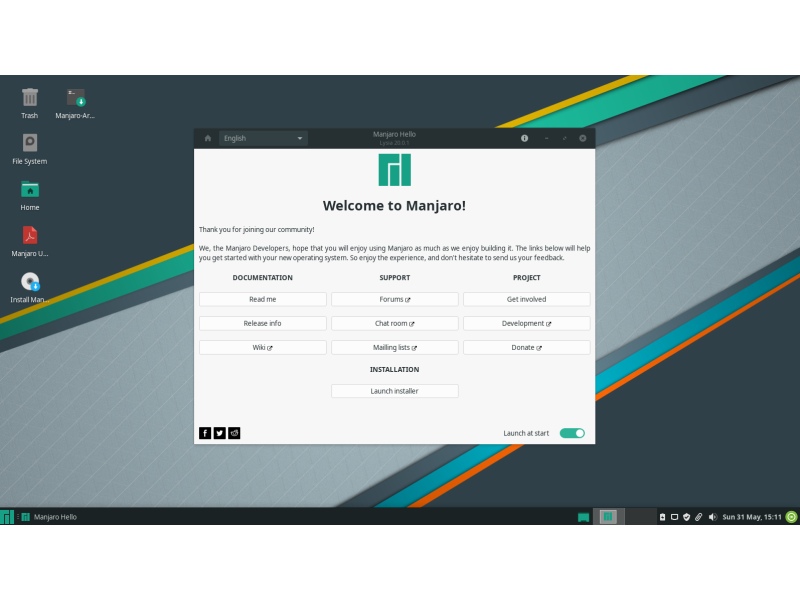
The Xfce desktop environment is designed to be lightweight while retaining a familiar desktop interface. Xfce is the most conservative desktop, it strives to stable at all times. If you’re not sure which edition to choose, this one is a good place to start.
KDE
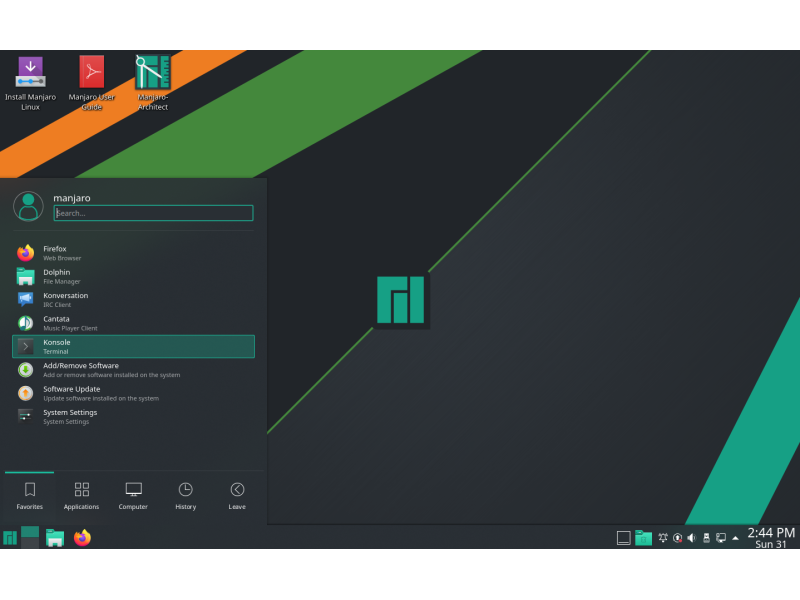
This version includes the K Desktop Environment. It offers a highly integrated environment with plenty of functionality and options. It is also highly customizable and offers a slightly different feel than the other editions.
GNOME
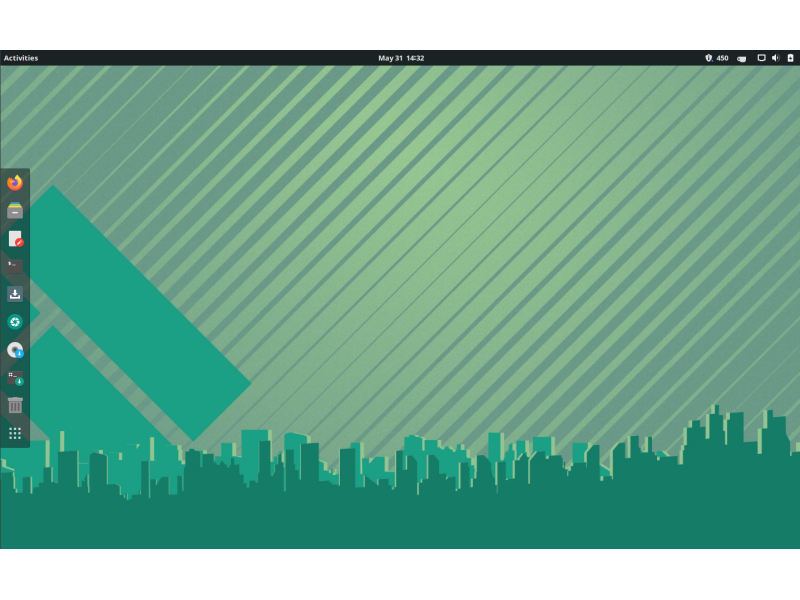
This edition of Manjaro includes the GNOME desktop, which is part of the GNU project. It offers an unconventional but intuitive desktop aiming to help productivity. It comes with a very
complete and aesthetically coherent set of applications to fill the most common needs.